🛠️ Project Setup Guidelines
1. Clone the Repository from GitHub twise
git clone https://github.com/Mylokal/mylokal.git Mylokal-A
git clone https://github.com/Mylokal/mylokal.git Services-A- This will create two directories:
Mylokal-AServices-A
2. Checkout Required Branches
cd Mylokal-A
git checkout 7mylokal-a

cd ../Services-A
git checkout 7webservices-a
3. Update Config in Mylokal-A
-
Open:
Mylokal-A/protected/config/params-local.php -
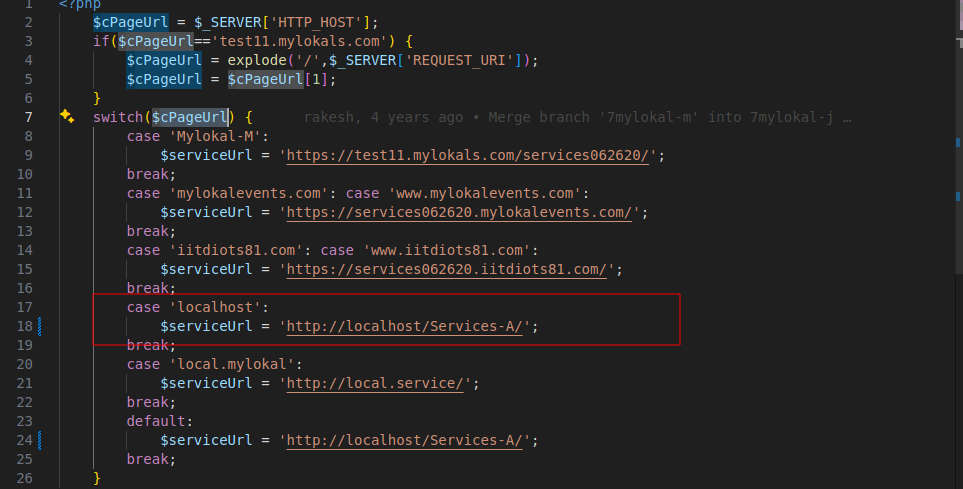
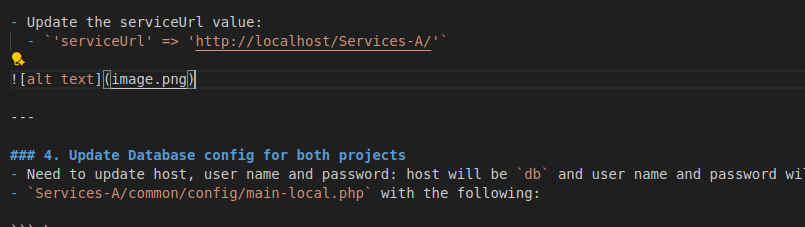
Update the serviceUrl value:
'serviceUrl' => 'http://localhost/Services-A/'
4. Update Database config for both projects
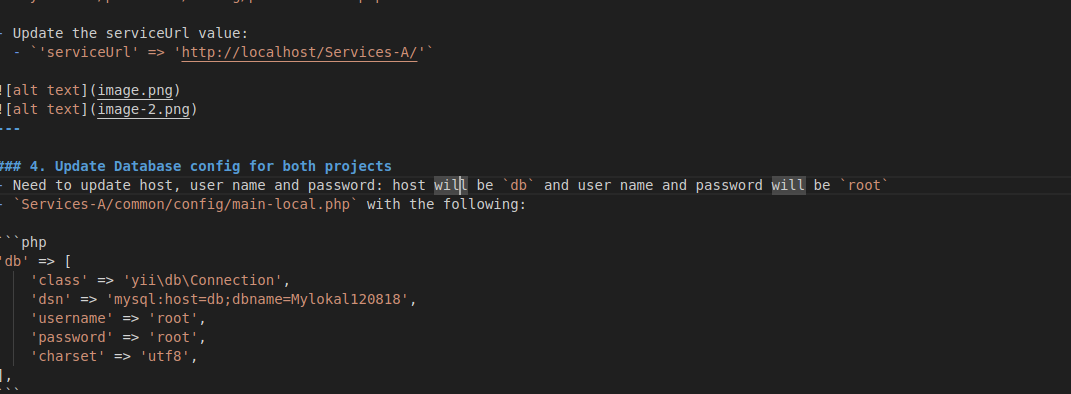
- Need to update host, user name and password: host will be
dband user name and password will beroot Services-A/common/config/main-local.phpwith the following:
'db' => [
    'class' => 'yii\db\Connection',
    'dsn' => 'mysql:host=db;dbname=Mylokal120818',
    'username' => 'root',
    'password' => 'root',
    'charset' => 'utf8',
],- Mylokal-A/protected/config/db.php with the following:
return array(
  'connectionString' => 'mysql:host=db;dbname=Mylokal120818',
  'emulatePrepare' => true,
  'username' => 'root',
  'password' => 'root',
  'charset' => 'utf8',
  'tablePrefix' => 'ML_',
);
4.1 Build & start the containers
Follow the Docker build & start guide for the most up-to-date commands. The quick summary (mirrors the Docker doc) is:
- Place the latest SQL seed file inside
docker/mysql/init/(ping Rakesh if you need the copy referenced in the Docker doc). - Run
docker compose build(ordocker-compose buildif you’re on the legacy CLI). - Run
docker compose up -dto start the stack. - Wait for the initial MySQL import (10–20 minutes) before logging in.
- Access the app at
http://localhostand phpMyAdmin athttp://localhost:8081.
5. Update Database table ML_Source_URLs
- Find the table
ML_Source_URLs - Update row 9 for
Mylokal-A- Set
MLS_Source_URLtolocalhost/Mylokal-A - Set
MLS_Home_PagetoNULL
- Set
6. Debug & Update getLatLong Function
File: Services-A/common/models/Webservices.php
- Temporarily print the server IP:
var_dump($ipAddress); exit;
// or
echo $ipAddress; exit;
// or
print_r($ipAddress); exit;-
Open the browser → check Network tab →
page-headerresponse. -
Copy the printed IP Address.
-
Replace the placeholder inside getLatLong (as shown in screenshot below).

-
Finally, remove the debug code and refresh the page.
7. SQL Mode
-
Normally you would update via phpMyAdmin.
-
Not required here since it’s already set in
docker/mysql/my.cnf.
8. Database Fix for Themes
- If using an old database:
- Delete the
ML_Site_Themestable. - Import the latest
ML_Site_Themes.
- Delete the
9. Generate CSS
- Hit the URL in your browser:
http://localhost/Services-A/webservices/web/sitethemes/generate-css10. Import Routines SQL File for completing the project setup process.
-
The routines SQL file will be provided separately—request the latest copy from Rakesh before running the import scripts.
-
Import the provided SQL file:
Mylokal120818 routines.sql-
If you imported an older SQL dump and the platform behaves unexpectedly, verify that the
ML_Platform_Settingstable contains theCopy_Max_Content_Charsrow. If it is missing, insert it with:MPS_Setting_Name=Copy_Max_Content_CharsMPS_Setting_Value=100MPS_Setting_Description=[Varun] max number of characters that can be copied through cut and paste
-
Re-run your sanity checks after adding the setting to confirm the issue is resolved.